# Reports

Reports exported in the User messages and Conversations sections will be available for download for up to 30 days.

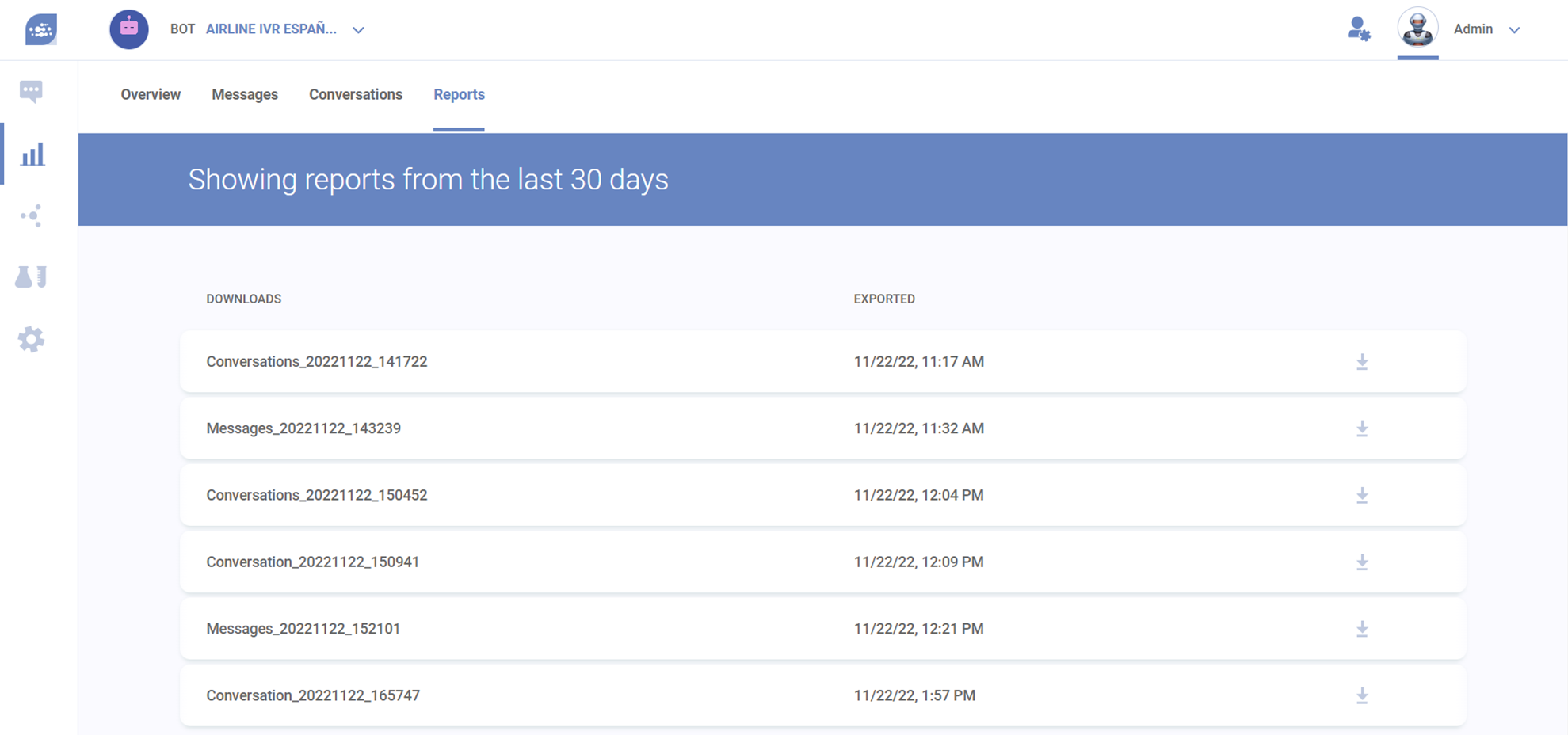
Both the general reports exported in each section and the reports of each conversation in full, exported from the conversation box, will appear here.

<figure><img src="/files/s15uapYRMBnCU7wsU5X4" alt=""><figcaption><p>Example of a report screen. Message reports names will start with "Messages", while conversations will start with "Conversations". If a report was generated by clicking on the detailed conversation screen, instead, it will be named "Conversation", singularized.</p></figcaption></figure>


---

# Agent Instructions: Querying This Documentation

If you need additional information that is not directly available in this page, you can query the documentation dynamically by asking a question.

Perform an HTTP GET request on the current page URL with the `ask` query parameter:

```
GET https://docs-conversational-ai.syntphony.com/analytics-and-insights/dashboards/reports.md?ask=<question>
```

The question should be specific, self-contained, and written in natural language.
The response will contain a direct answer to the question and relevant excerpts and sources from the documentation.

Use this mechanism when the answer is not explicitly present in the current page, you need clarification or additional context, or you want to retrieve related documentation sections.
