> For the complete documentation index, see [llms.txt](https://docs-conversational-ai.syntphony.com/llms.txt). Markdown versions of documentation pages are available by appending `.md` to page URLs; this page is available as [Markdown](https://docs-conversational-ai.syntphony.com/syntphony-live-agent-console/supervisor-workspace/archived-tab.md).
# Archived Tab
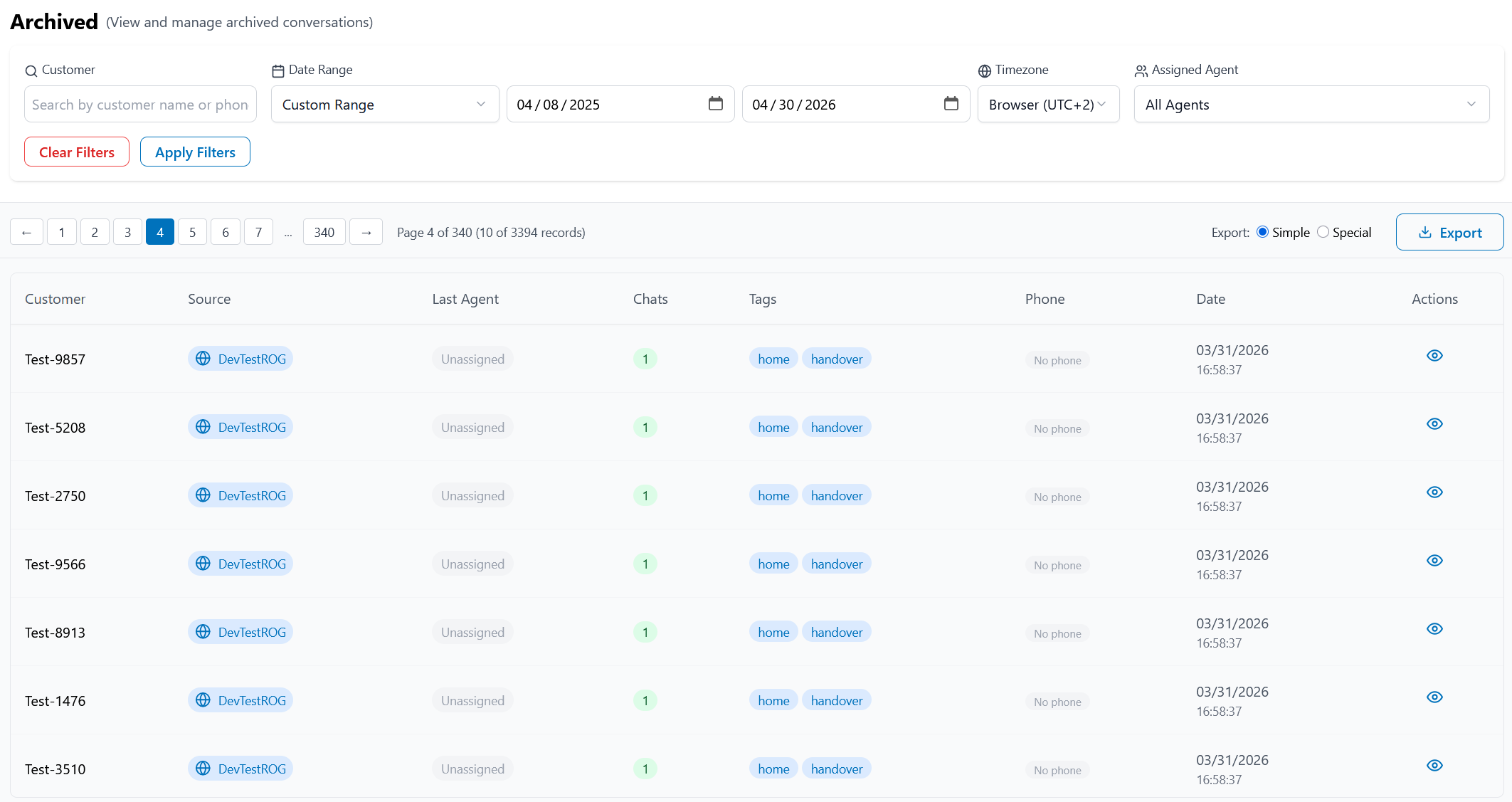
Central view for archived console conversations and chat-record history.
## Purpose
Provide supervisors with a searchable archive of closed conversation records, including per-record chat counts and detailed conversation inspection.
## Who this is for
Supervisors, operations teams, and quality analysts reviewing historical interactions.
## Feature overview
* Conversation archive with filters for customer, date range, timezone, and assigned agent.
* Chat-record tracking with the number of chats associated to each archived record.
* Record-level detail view for complete conversation audit.
* Export options for archived data extraction.
* Numeric obfuscation action to permanently redact numbers in message content.
## What you can inspect in detail view
When opening a specific archived conversation, the detail panel includes:
* Context information and device information (when available).
* User and agent comments captured at close time.
* Customer rating.
* Conversation tags.
## Chat record vs chat
A **Chat Record** represents one or more chats from the same end user journey until the interaction is definitively closed.
A **Chat** is a single communication period between the end customer and the system, and always belongs to a chat record.
Chat records are visible in the **Archived** section and the **Closed** tab. You can track how many chats belong to each record.
**Chat types:**
* **Attended:** Taken or transferred to an agent.
* **Unattended:** Handover was requested, but the user disconnected (voluntary or not) while waiting.
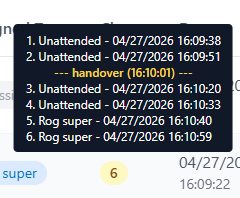
Hovering over the number of chats in a record shows each contained chat and its assigned agent (when attended), including unattended chats.
The chat list tooltip now also shows the handover sequence order and handover time for each entry, helping supervisors understand escalation flow at a glance.
## Numeric obfuscation for sensitive data
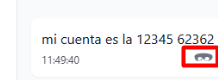
Supervisors can obfuscate numeric values in message content from the message-level action menu in Archived and Closed conversations.
### How it works
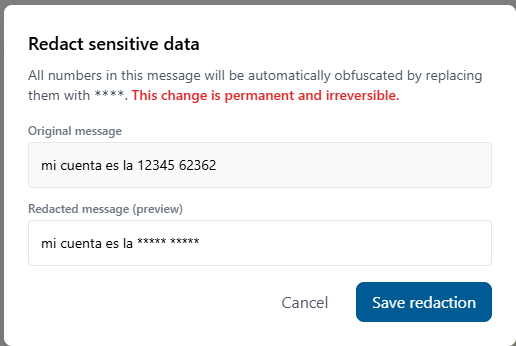
* The action replaces every numeric character in the selected message with `*`.
* Example (English): `my account is 12345 62362` becomes `my account is ***** *****`.
* This redaction is **permanent and irreversible**.
* Use this option to handle privacy requests and reduce exposure of sensitive numeric data, such as account numbers, IDs, phone numbers, or references.
### Recommended usage
* Validate the target message before saving the redaction.
* Apply only when required by policy, for example GDPR or data minimization requests.
* Treat the redacted result as final because original numbers **cannot be restored**.
## Expected outcome
* Archived records are traceable with full conversation context.
* Supervisors can audit closure quality and customer sentiment.
* Teams can validate metadata and routing behavior over time.
## Related pages
* [Dashboard](/syntphony-live-agent-console/supervisor-workspace/index-1.md)
* [Teams Tab](/syntphony-live-agent-console/supervisor-workspace/index.md)
* [Settings](/syntphony-live-agent-console/supervisor-workspace/settings.md)
* [Glossary](/syntphony-live-agent-console/getting-started/glossary.md)
* [What's New](/syntphony-live-agent-console/whats-new.md)
---
# Agent Instructions
This documentation is published with GitBook. GitBook is the documentation platform designed so that both humans and AI agents can read, navigate, and reason over technical content effectively. Learn more at gitbook.com.
## Querying This Documentation
If you need additional information that is not directly available in this page, you can query the documentation by asking a question.
Perform an HTTP GET request on the following URL with the `ask` and `goal` query parameters:
```
GET https://docs-conversational-ai.syntphony.com/syntphony-live-agent-console/supervisor-workspace/archived-tab.md?ask=&goal=
```
`ask` is the immediate question: it should be specific, self-contained, and written in natural language.
`goal` is what the user is ultimately trying to achieve, the reason they need the answer. Sharing it helps GitBook give you a better, more relevant answer. A goal is most helpful when it describes the outcome the user wants rather than restating the question. For example, with `ask=how do I create an API token`, a goal like `automate deployments from our CI pipeline` lets GitBook tailor the answer to that use case.
The response will contain a direct answer to the question and relevant excerpts and sources from the documentation.
Use this mechanism when the answer is not explicitly present in the current page, you need clarification or additional context, or you want to retrieve related documentation sections.